How to make a Burning Bridges AI video
Make mine with one photoThere are four ways to make the Drake Burning Bridges AI video. Here's what each one needs, and which ones keep the real room, friends and sound. If you want the real 8 seconds from the music video with you in Drake's role, the man with the cup, one photo is enough here.
- One photo, no prompt
- Works in your browser, no app
- Keeps the original sound
4 ways to make a Burning Bridges AI video
Each way works differently, so the result does too. The apps below are examples, as of October 2026.
| Templates or AI tools in a video editore.g. CapCut | Writing a prompte.g. Kling or Dreamina | Video-to-video appe.g. Higgsfield Genjutsu | One photo (this site)You in the real party clipUse one photo | |
|---|---|---|---|---|
| You start from | A template or a photo, inside the editor app | A photo and a prompt (your own or a ready-made one) | A copy of the clip you find yourself, plus a photo | The real 8 seconds from the music video |
| What you do | Fill in the template or generate, then line up the sound and export | Paste or write the prompt, generate, and try again until it looks right | Upload the clip and your photo, then set up the edit | Add one photo |
| Room and friends | Depend on the template | Generated new each time | From the clip, or rebuilt, depending on the mode | The real room and friends from the video |
| Original sound | Depends on your edit | Often added afterwards in an editor | Depends on the tool | Built in |
| If you make it again | Results can change | A new scene every time | Results can change | Same room, friends and sound every time |
| Price | See the app's plans | See the app's plans | See the app's plans | From $9.90 for one video, one-time |
Want the real party, with you holding the cup?
Same room, same friends, same sound, with you in Drake's place.
Which way fits you?
If you already edit in CapCut: a template or its AI tools
On TikTok, "how to do Drake Burning Bridges CapCut" has its own search page, with videos tagged CapCut from October 2026. In the editor you fill in a template or generate with its AI tools, then line up the sound and export. CapCut has a user-made template titled "burning bridges"; before you build on any template, check that it actually uses Drake's song and the party clip.
If you want a new scene: a prompt in Kling or Dreamina
On TikTok, "AI prompt for Burning Bridges Drake Kling" has its own search page, where you may find prompts people shared to use with your photo. Dreamina's Burning Bridges page pairs your photo with a prompt for its Seedance 2.5 model that stages a chandelier party with a silver cup and a hand shading the eyes, and suggests adding an authorized copy of the song in an editor if the model can't make the audio. Either way the room and the people around you are generated. Kling also has Motion Control. It copies the moves from a reference clip you supply, so, like video-to-video, you need your own copy of the clip first.
If you have the footage: Higgsfield Genjutsu
Genjutsu is a video-to-video tool: you upload a video and a photo, and it changes a character while keeping the motion and the camera. One of the earliest dated Burning Bridges AI videos, posted on Threads on September 19, 2026, was made with it. You need your own copy of the clip to start.
If you want the real clip: one photo here
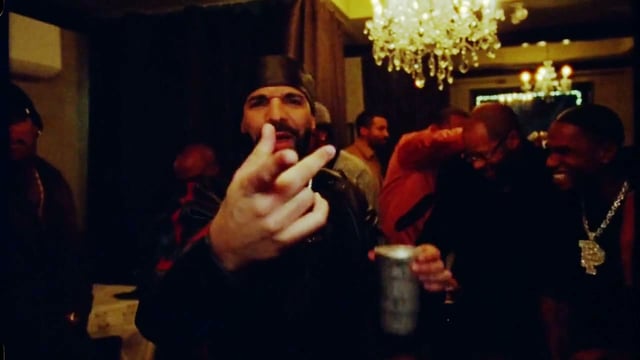
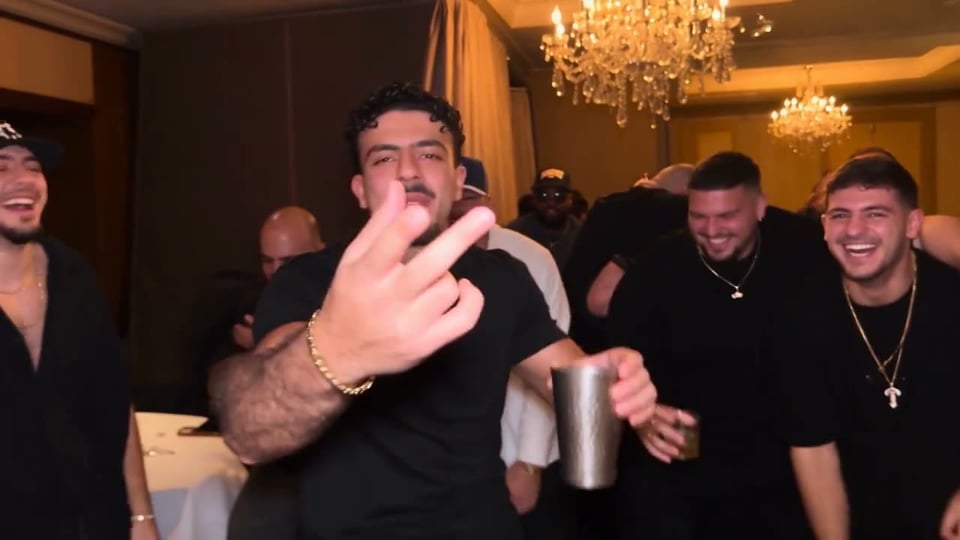
Nothing to find or edit. The peace sign, the hand to the brow, the wave with the cup and the friends covering their eyes are the real 8 seconds from the music video, sound included. Your front-facing photo puts you in Drake's place.
How to make a Burning Bridges AI video with one photo
- 1
Add one clear photo
One person, face turned to the camera, in even light and without sunglasses. It has to be you or an adult who agreed to be in the video.
- 2
Press Generate
If you don't have a pack yet, you pick one first. Then you can close the tab while it renders; the video waits in My videos for 30 days.
- 3
Download it and post
You get a 16:9 MP4 with the sound of the original clip. It fills the screen on X and YouTube; on TikTok and Reels it plays with bars above and below.
Make yours with one photo
Add a front-facing photo of whoever plays the man with the cup, then press Generate. The room, the friends and the sound come from the music video.
One person per photo, face clearly visible. JPG, PNG or WebP up to 10 MB.
- No app
- No watermark
- Credits back if a video fails
Is there a free way to make a Burning Bridges AI video?
Possibly, with another app's free allowance, but not here. Some AI video apps give free accounts a daily allowance; Dreamina, for one, tops it up daily (as of September 2026). How far it goes depends on the model and the length of the clip, so check it in the app before you count on a whole video. This site isn't free: you buy a one-time pack, there's no subscription, and what you get at sign-up isn't enough for a video.
Questions before you start
CapCut has a user-made template titled "burning bridges", and videos tagged CapCut cover the trend on TikTok. Before you build on a template, check that it uses Drake's song and the party clip; then you line up the sound and export yourself.
Yes. "AI prompt for Burning Bridges Drake Kling" has its own search page on TikTok, where you may find prompts people shared to use with your photo. Dreamina's Burning Bridges page gives a prompt for its Seedance 2.5 model that stages the chandelier party, the silver cup and the hand shading the eyes. Either way the scene is generated, so the room and the people change from one try to the next. Kling's Motion Control is a different route: it copies the moves from a reference clip you supply, so you need your own copy of the clip first.
Yes, with Genjutsu, if you have the footage: it's video-to-video, so you upload the clip and a photo, and it keeps the motion and the camera. One of the earliest dated Burning Bridges AI videos was made with it. You need your own copy of the clip first.
Not here. The 8 seconds from the music video are already loaded, and one clear, front-facing photo is all the generator needs.
Each video uses 600 credits from a one-time pack: $9.90 makes one video, $17.90 makes two, $29.90 makes four and $59.90 makes nine. There is no subscription. If a video fails, its credits go back to your balance automatically.
Yes, it keeps the sound of the original clip. If an app mutes or flags the audio when you post, pick Drake's "Burning Bridges" from its sound library instead.
A friend, yes, if they are an adult who agreed to be in the video; there is one role, the man with the cup, so make one video per friend. Public figures and anyone under 18 are not allowed.